
The Hansmaker D1 Ultra is entering the laser-engraving market with a bold approach: a powerful dual-beam laser engraver that combines a blue diode laser with a fiber laser in a single compact machine. This unique setup offers hobbyists, makers, and small businesses the ability to engrave a wide range of materials—from wood and leather to stainless steel and aluminum—without switching devices. In this Hansmaker D1 Ultra review, we’ll take an in-depth look at its features, performance, accessories, and real-world capabilities to see whether this new contender lives up to its promise.
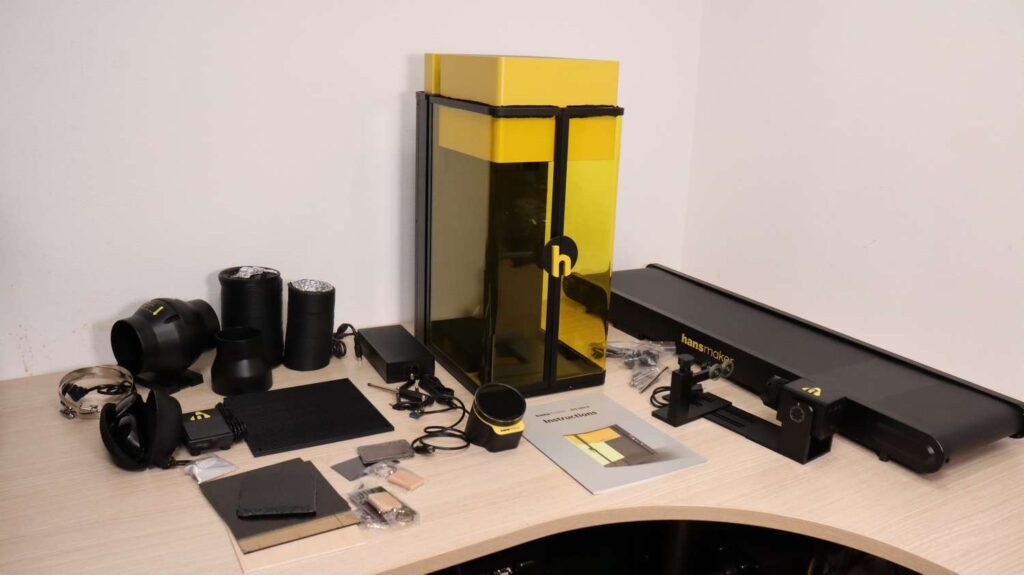
Table of Contents
*The links on this website can be affiliate links. I earn a small commission at no extra cost to you. When you buy through these links you will support this website, which helps me to run this website(which cost money and a TON of time) and provide all these extensive reviews and information to you for free, without any paid membership.
Introduction to the Hansmaker D1 Ultra
Today we’re taking a look at a new contender in the laser-engraving field: Hansmaker, and their flagship laser engraver, the Hansmaker D1 Ultra . This is a dual-beam laser engraver featuring a 20W blue diode laser module and a 30W infrared fiber laser module. The diode laser is great for engraving and cutting materials like wood, leather, and cardboard, and it’s also capable of cutting acrylic. Meanwhile, the fiber laser excels at engraving all types of metals and can also produce great results on certain plastics.

Design and Build Quality
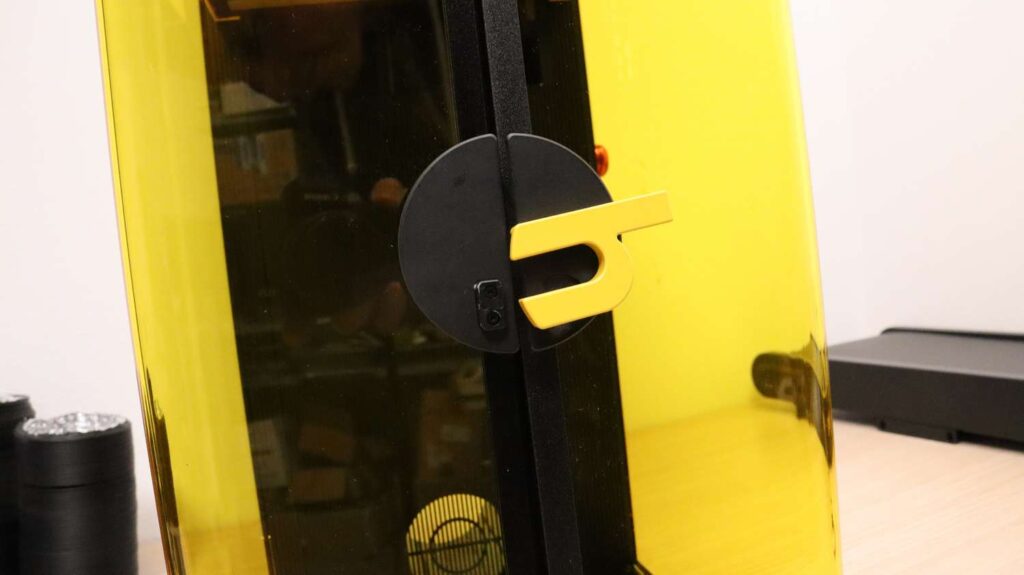
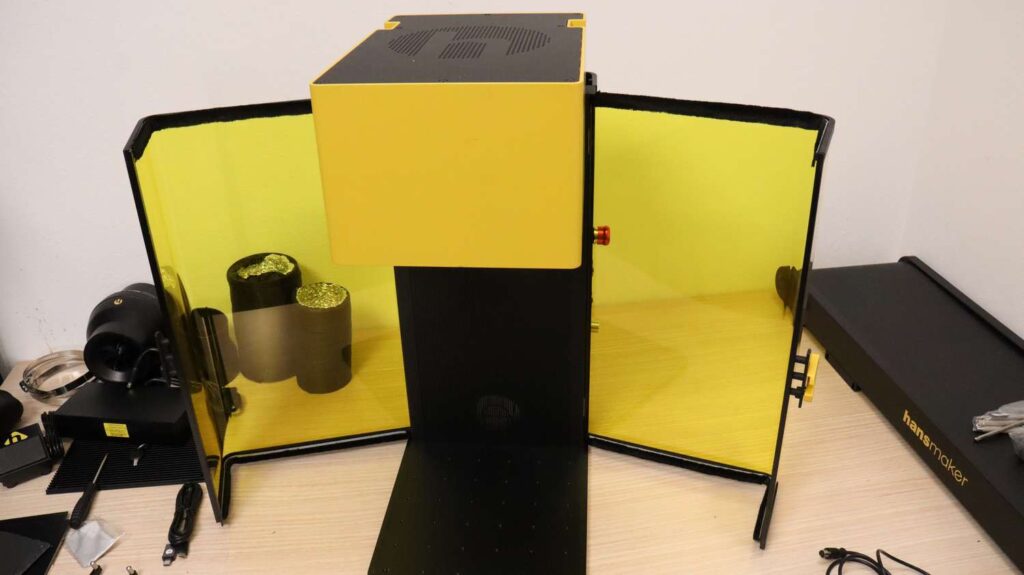
One of the coolest design details is the Hansmaker logo used as a latch. With the Hansmaker D1 Ultra, the company also introduced sideways-opening doors instead of traditional upward-moving ones. These doors are easy to operate, feature built-in magnets, and help keep smoke from escaping.
However, this design comes with one disadvantage—you cannot partially close the doors, which limits protection from stray light or improved smoke extraction when using oversized items. Although the doors open enough so that you can put really long items on the bed without them getting in the way.



Working Area and External Controls
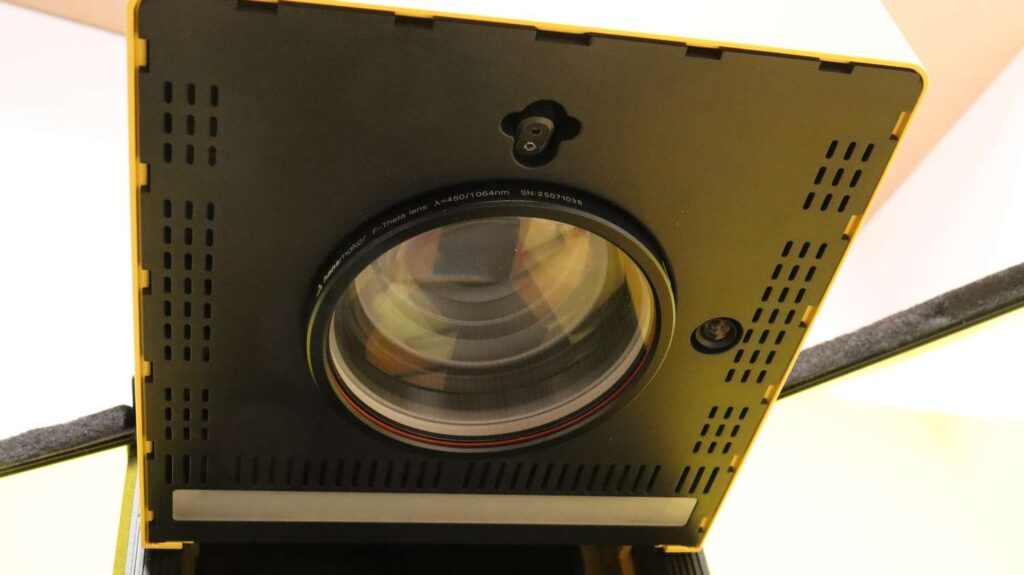
Under the laser head, you’ll find a large lens, a 220mm x 220mm working area, a camera, and a focusing laser pointer.
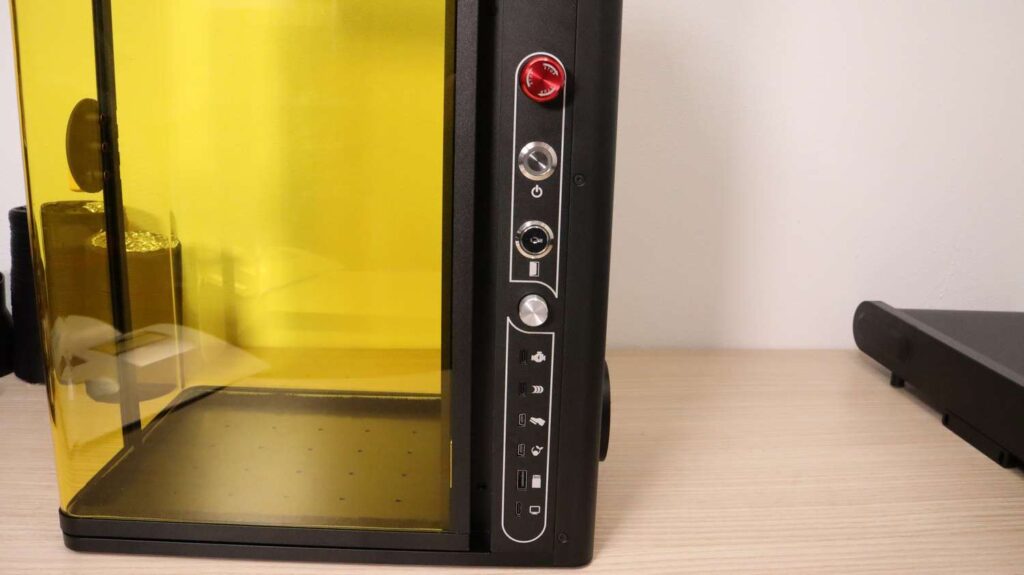
On the side, the machine includes:
- Emergency stop switch
- Power switch
- Key lock
- Rotating focus adjustment knob
- Connectors for rotary, conveyor feeder, foot pedal, air cleaner, and computer connection

Accessories Included
The Hansmaker D1 Ultra comes with a generous set of accessories.
- A quiet turbine fan for efficient fume extraction
- Two high-quality air-duct hoses
- Standard safety glasses (adequate, but I recommend higher quality ones)
- A metal foot switch
- An aluminum cutting surface
- Positioning brackets for batch engraving
- A large material pack for testing


Control Display and Optional Attachments
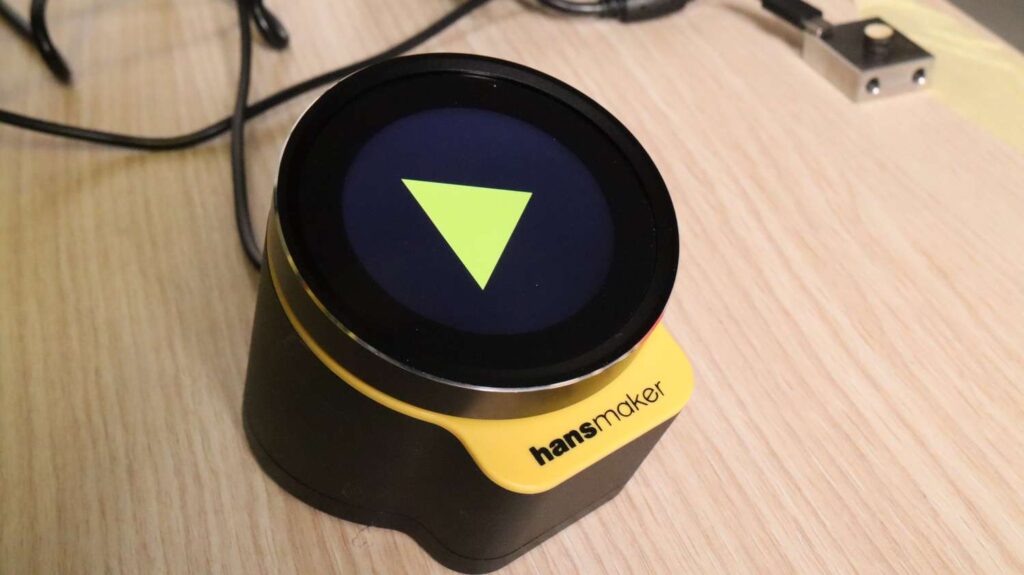
The control display feels premium, with great tactile buttons and a high-fidelity LCD screen. It supports offline control and SD-card design playback.
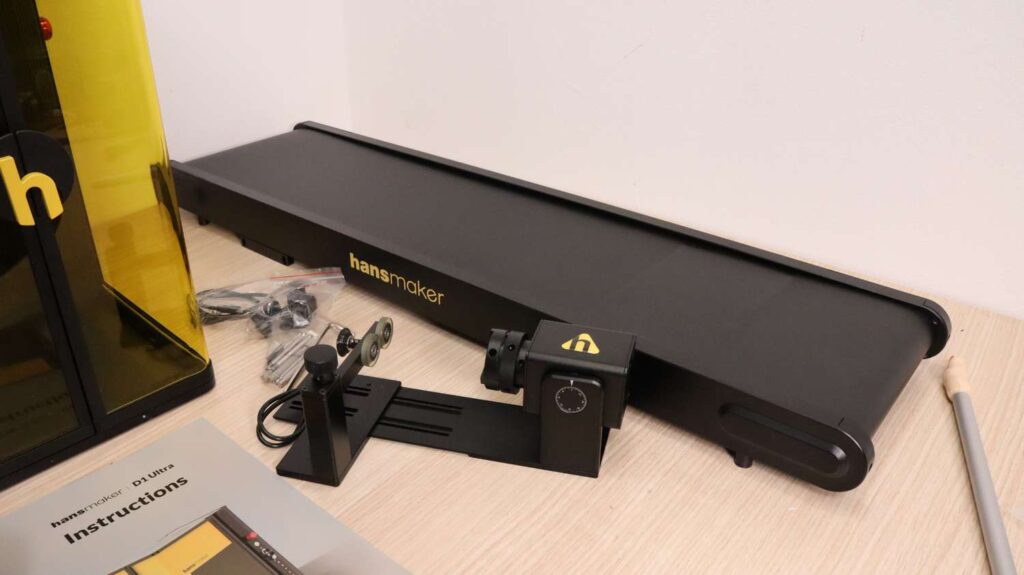
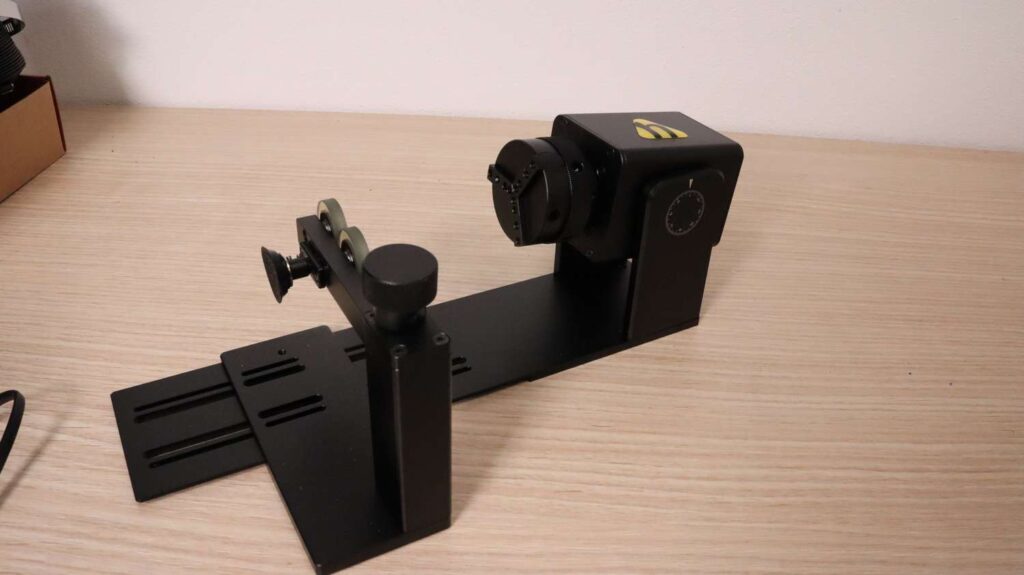
Optional attachments include:
- A solid-metal rotary tool with adjustable jaws
- A large conveyor feeder for high-volume engraving

Focusing System
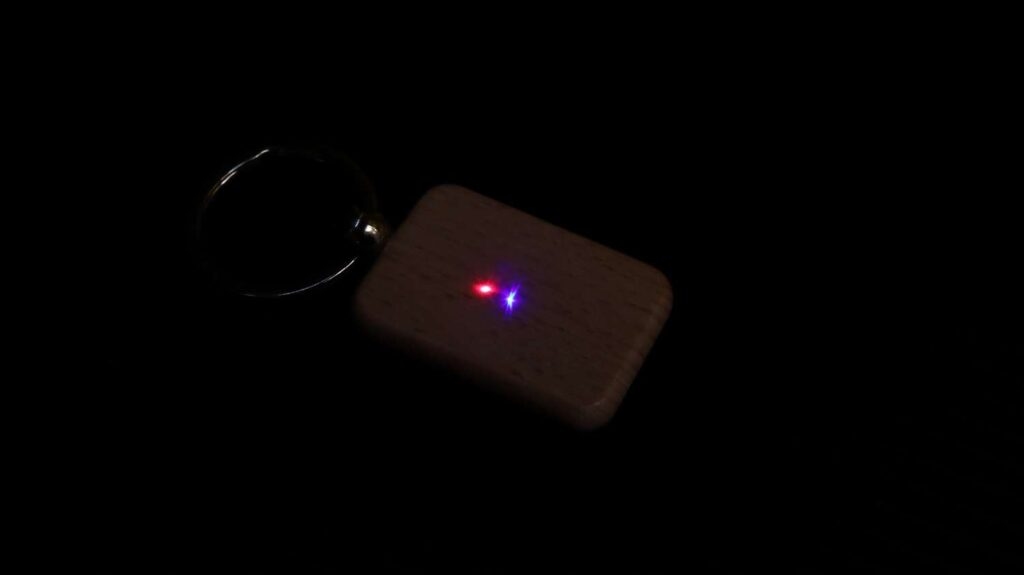
Focusing can be done using the autofocus function, or manually using the focusing laser, which projects a red dot.
You simply adjust the focus height until the red and blue dots align, achieving perfect focus.
If you know your material thickness, you can enter it directly, allowing the machine to automatically adjust height for different shapes during processing.
Hansmaker D1 Ultra Review: Real-World Testing
In this chapter, we put the Hansmaker D1 Ultra to the test across a wide range of materials to see how its dual-beam system performs in practical scenarios. From wood, leather, and acrylic to anodized aluminum, stainless steel, and even stone, we explore how both the diode and fiber laser modules handle real projects. We also dive into the software experience, the camera system, focusing tools, engraving speed, and cutting performance. And for users interested in automation, we take a closer look at the conveyor feeder and its bulk-engraving capabilities. This section reveals what the Hansmaker D1 Ultra can really do beyond the spec sheet.
Software and Camera System
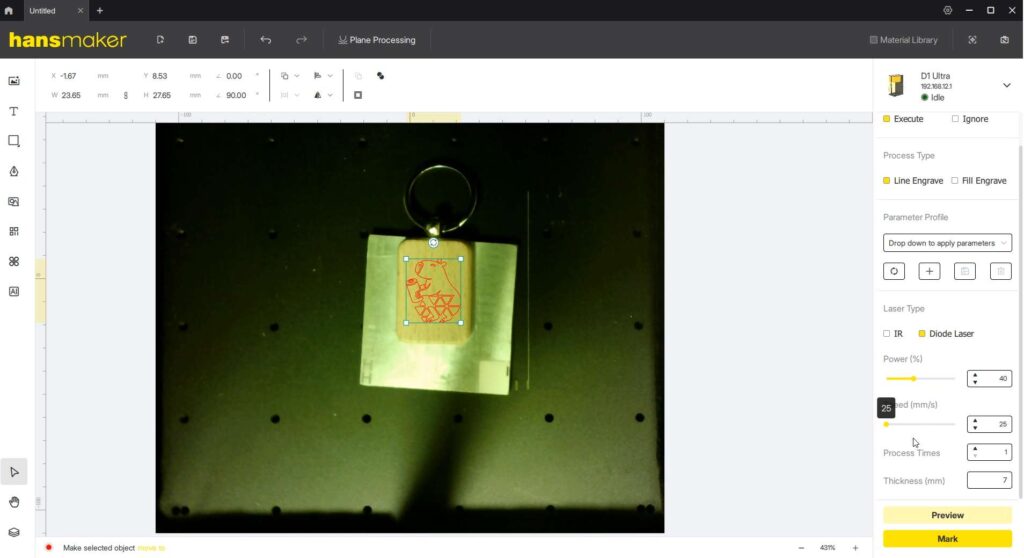
The Hansmaker software is easy to use and looks similar to xTool’s interface which is used by their competitor, the xTool F1 Ultra. The camera preview works well, though exposure could be improved. Since the software is still in early development, future updates are expected.
The red-light outline preview is excellent for precise positioning, and the magnetic doors don’t need to be latched during operation.
Engraving with the Diode Laser
The blue diode laser performs exceptionally well on wood, giving clean, high-contrast engravings. The sample pack includes wooden keychains for testing.
Cutting plywood also works well: using high speed and multiple passes, you can achieve clean cuts with minimal charring.
As with all galvo lasers, cuts may have a slight angle, so a gantry diode laser will always outperform galvo systems for cutting.


Metal Engraving with the Fiber Laser
The infrared fiber laser handles anodized aluminum extremely well, producing deep, long-lasting, high-contrast marks. It also performs well on raw aluminum.
On stainless steel, the fiber module can create various engraving effects, although not as many as a MOPA fiber laser.


Engraving Stone with a Fiber Laser
Stone engraving with full power and slow speed created a glassy, melted surface effect, which looked surprisingly interesting.

Organic Material Engraving
The blue diode laser is ideal for organic materials.
Engraving leather at high speed and low power results in a sharp, high-contrast mark with a durable finish.

Using Both Lasers: The Dual-Beam Advantage
One of the biggest strengths of the dual-beam laser engraver is the ability to combine both lasers in a single project.
For example:
- Use the fiber laser to create white, crisp engravings on black acrylic
- Then use the blue diode laser to cut out the shape
This produces an excellent keychain with clean, smooth edges.

Conveyor Feeder Testing
The conveyor feeder is the largest attachment—heavy-duty, metal-framed, and equipped with a grippy rubber belt. It’s perfect for serial or bulk engraving.
The workflow:
- Place one sample object under the machine and select positioning mode.
- Create a template so the machine recognizes your part.
- Set engraving offsets and parameters.
- Place the rest of the parts randomly on the conveyor.
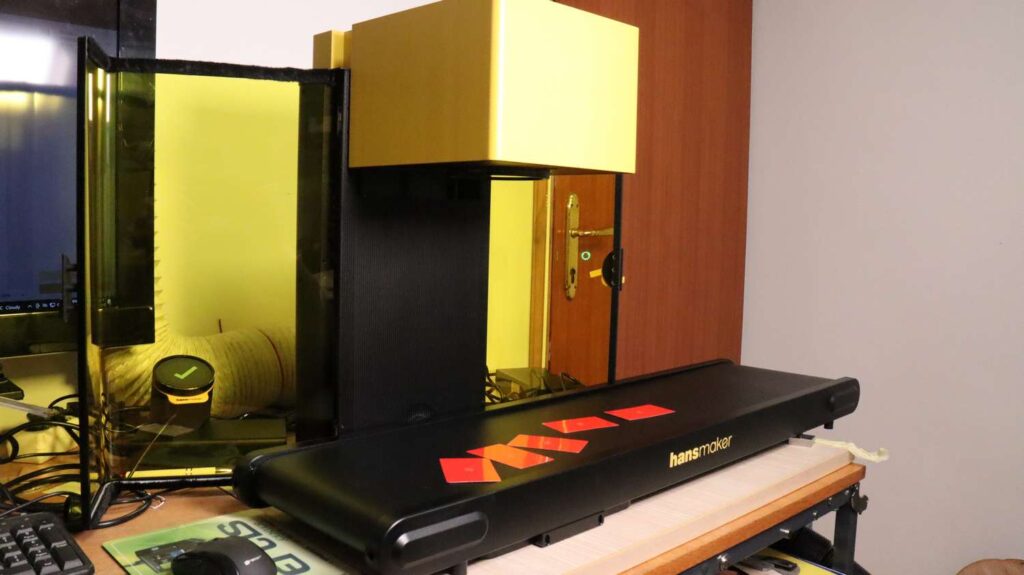
The Hansmaker D1 Ultra then:
- Automatically detects each part
- Adjusts orientation
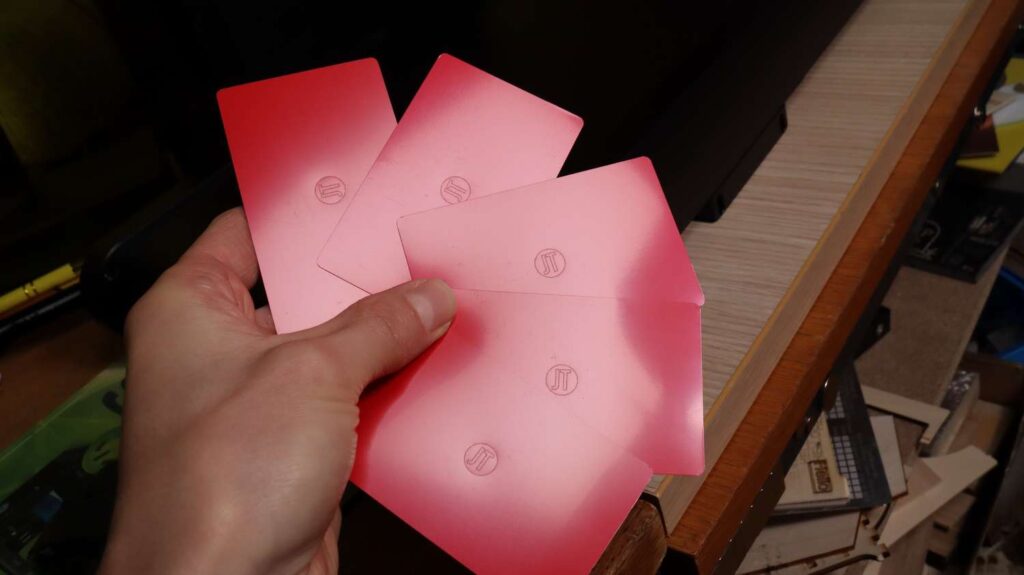
- Engraves them one by one with impressive accuracy
Even with preliminary software, the system centered each design perfectly.
Conclusion
Be sure to check the link below if you’d like to support the project or learn more.
And if you want to stay in touch with our latest reviews, subscribe to our mailing list to get notified when we release new review articles!

This post was written by JT Makes It.
JT Makes It is an engineer, hobbyist, and DIY-er armed with a Master’s degree in Electrical Engineering and over a decade of professional experience in the industry. From an early age, JT Makes It was pushed by an insatiable curiosity, spending countless hours disassembling, understanding, improving, and creating various gadgets and products. This lifelong passion led to a broad spectrum of technical expertise ranging from electronics, woodworking, metalworking, and CNC machinery, with a particular focus on laser engravers.
For the past 9 years, he has shared his expertise through engaging videos on his YouTube channel. With the last three years dedicated to scrutinizing and testing laser engravers, he also created this website and emerged as a recognized authority in the field. His expertise extends across the spectrum of laser technologies, ranging from diode lasers, CO2 lasers, and fiber lasers, paying attention to details and providing practical insights.
With JT Makes It, expect a blend of technical expertise, backed with hands-on experience, and a genuine passion for innovation and creation, making him a trusted source in the realm of DIY and laser engraving enthusiasts alike.
*The links on this website can be affiliate links. I earn a small commission at no extra cost to you. When you buy through these links you will support this website, which helps me to run this website(which cost money and a TON of time) and provide all these extensive reviews and information to you for free, without any paid membership.
3 responses to “Hansmaker D1 Ultra Review: A New Dual-Beam Laser Engraver on the Market”

Excellent reviews
Thanks!
It looks like it has the ability to become a laser favorite, especially as the software and features grow over time.



Excellent reviews
Thanks!
It looks like it has the ability to become a laser favorite, especially as the software and features grow over time.



Leave a Reply